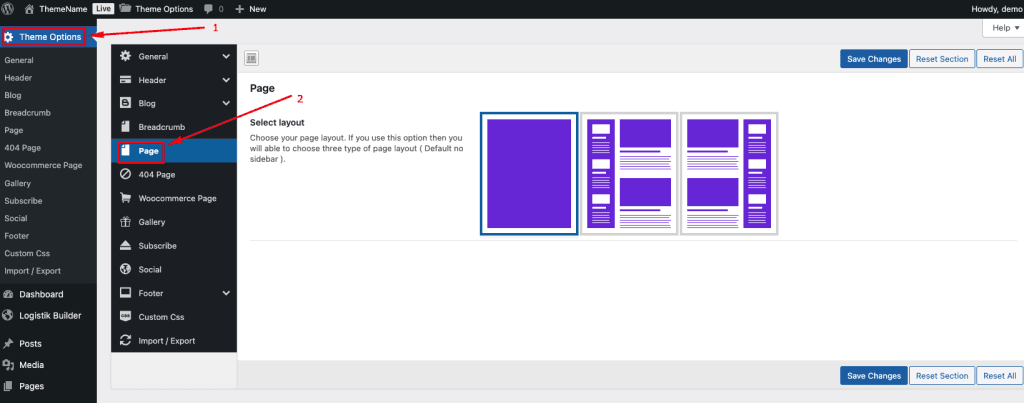
To change your Page Setup, log in to your WordPress Admin Dashboard and follow the steps below:
- Go to Dashboard.
- Navigate to Plumer Options → Pages
- Select your pages layout
- Save Changes.
To change your Page Setup, log in to your WordPress Admin Dashboard and follow the steps below: