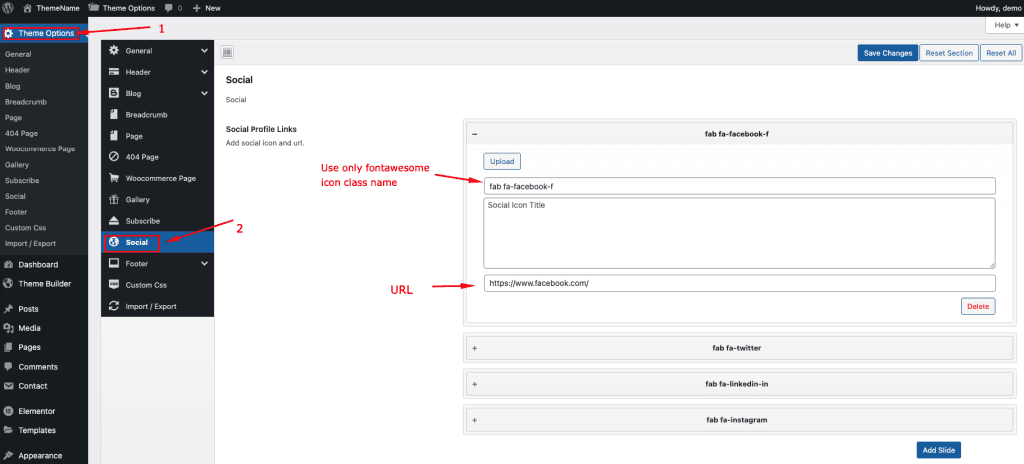
To change your Social Media Settings, log in to your WordPress Admin Dashboard and follow the steps below:
Note: This option only works if the Global Header includes a social option.
- Go to Dashboard.
- Navigate to Logistik Options → Social
- Follow Image Instruction.
- Save Changes.