To change your 404 or Eror Page Content, log in to your WordPress Admin Dashboard and follow the steps below:
- Go to Dashboard.
- Navigate to Saor Options → 404 page.
- Changes your content
- Save Changes.
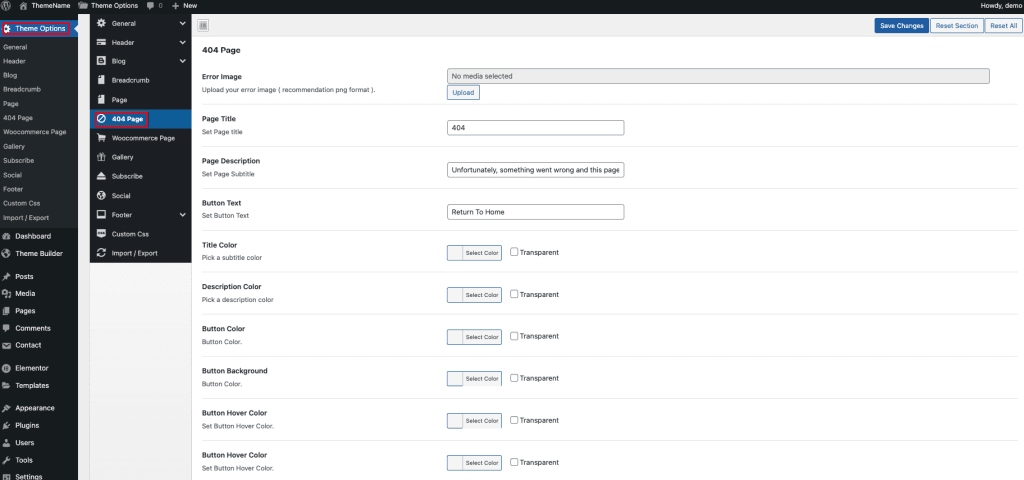
Page Title:
Oops! That page can’t be found.
Page Description:
It looks like nothing was found at this location. Maybe try returning to the homepage or using the menu above.
Button Text:
Return to Home
🎨 Color Suggestions
You can customize colors to match your site branding. Example color setup:
- Title Color:
#222222 - Description Color:
#666666 - Button Color:
#FFFFFF - Button Background:
#0073AA - Button Hover Color:
#FFFFFF - Button Hover Background:
#005F8D