To change your Breadcumb Setting, log in to your WordPress Admin Dashboard and follow the steps below:
- Go to Dashboard.
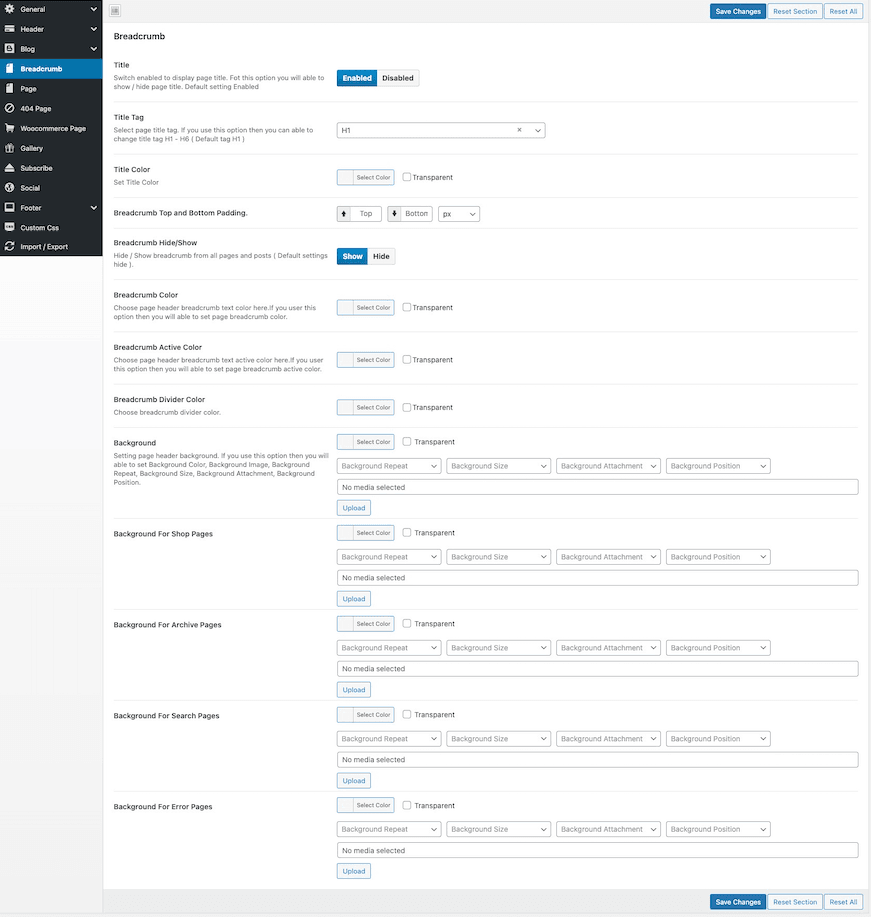
- Navigate to Poolax Options → Breadcumb
- Customize the Breadcumb settings
- Save Changes.
Changing Breadcrumb Settings for a Specific Page
- Go to Dashboard.
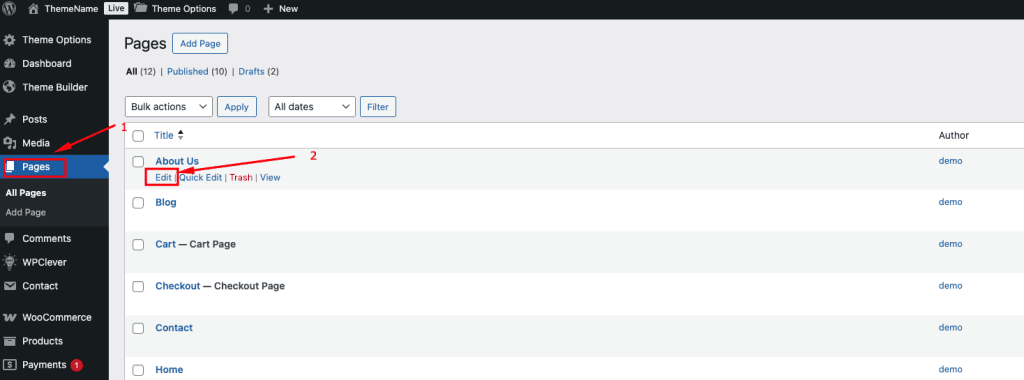
- Navigate to Pages → All Pages
- Click Edit on the page you want to modify.
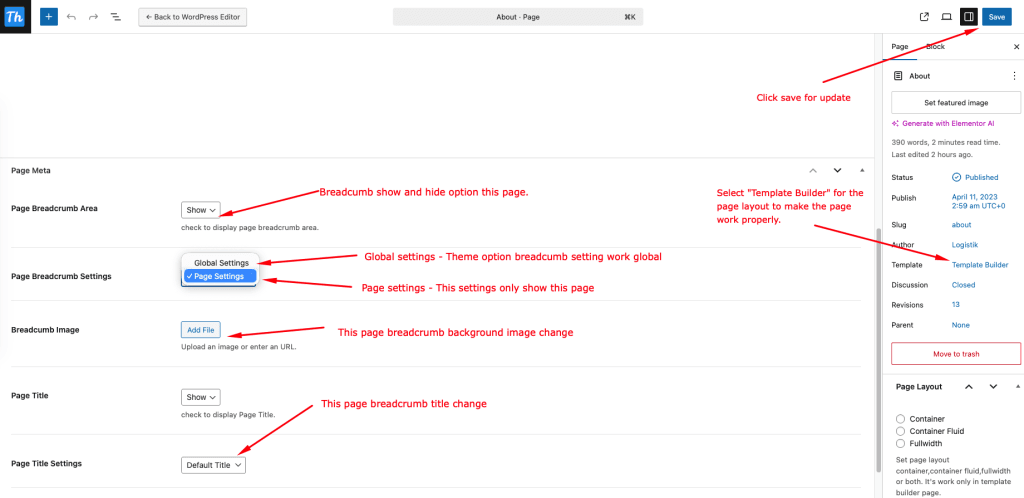
- Scroll down to the Page Meta section. (This section is collapsible — click to expand it.
- Locate the Breadcrumb Settings and make your changes.
- Save Changes.
Page edit mode