To ensure the demo content works properly, please configure Elementor with the following settings. Follow the instructions below carefully.
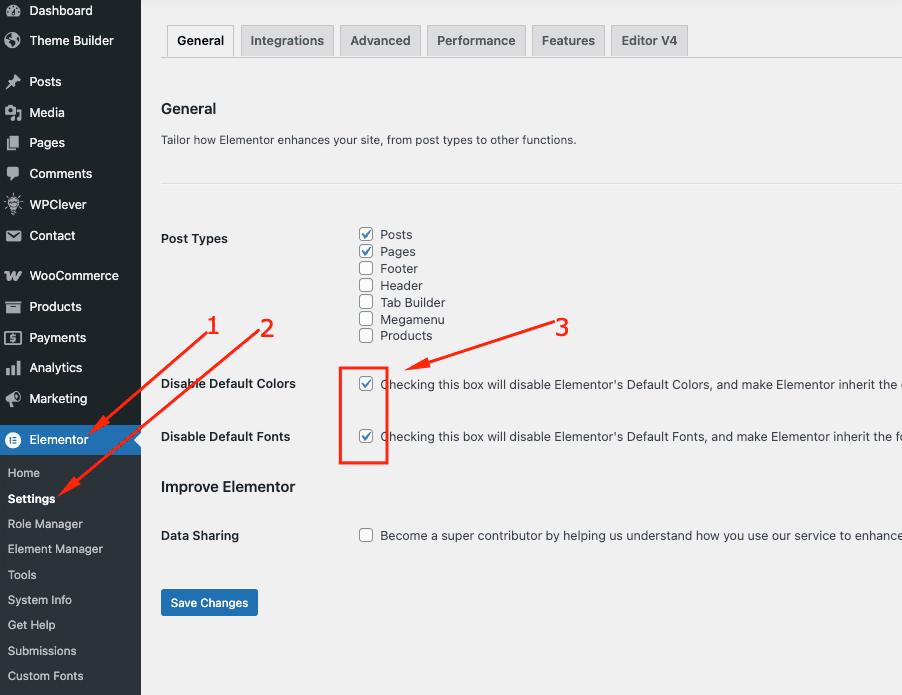
- Go to Dashboard.
- Navigate to Elementor → Settings → General
- Follow the image instructions below to ensure the theme colors and fonts work properly in Elementor.
- Save Changes.
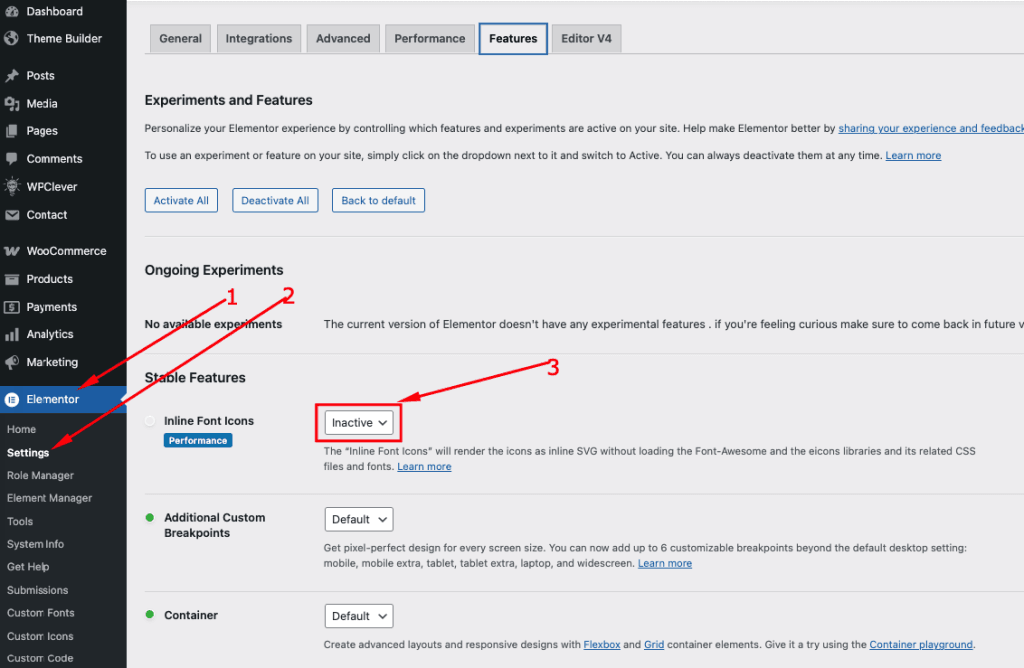
- Go to Dashboard.
- Navigate to Elementor → Settings → Features
- Follow the image instructions below if you face any Font Awesome icon display issues.
- Save Changes.
- Open any page with Edit with Elementor.
- Click the ☰ (Hamburger Setting Menu) icon in the top-left corner.
- Go to Site Settings → Layout.
- Under Layout Settings, set the Content Width to 1344px for desktop.
- Set Container Padding and Gaps values to 0.
- Then switch to the Responsive Mode (Mobile) and set the Content Width to 540px.
- Click Save Changes again to apply the configuration.

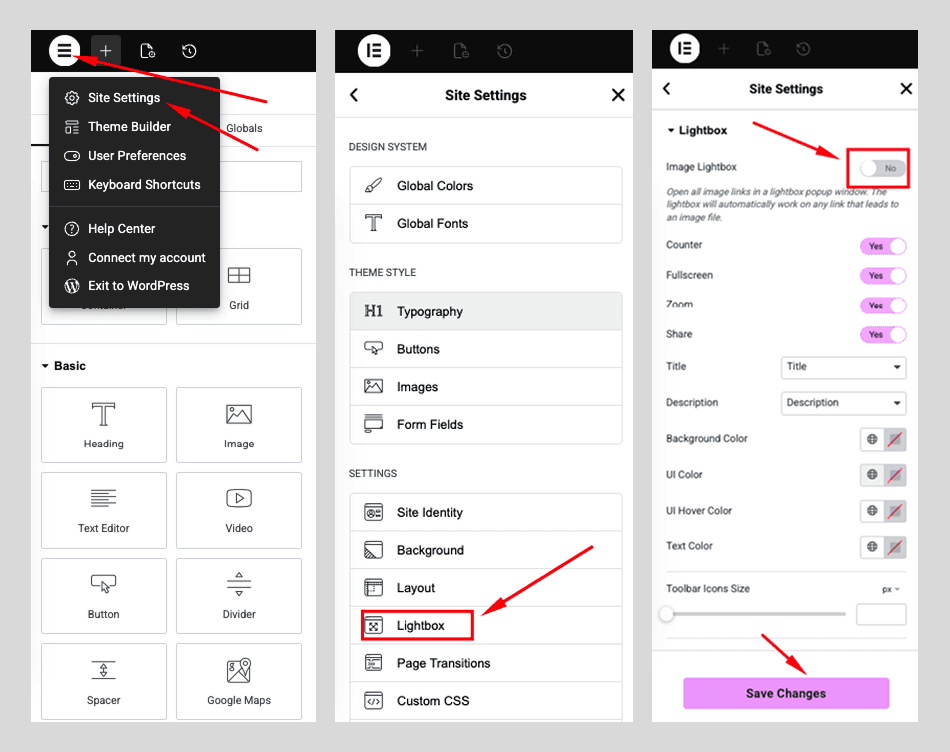
- Open any page with Edit with Elementor.
- Click the ☰ (Hamburger Setting Menu) icon in the top-left corner.
- Go to Site Settings → Lightbox.
- Set Lightbox → Off / No to ensure the theme’s gallery lightbox works correctly.
- Click Save Changes again to apply the configuration.