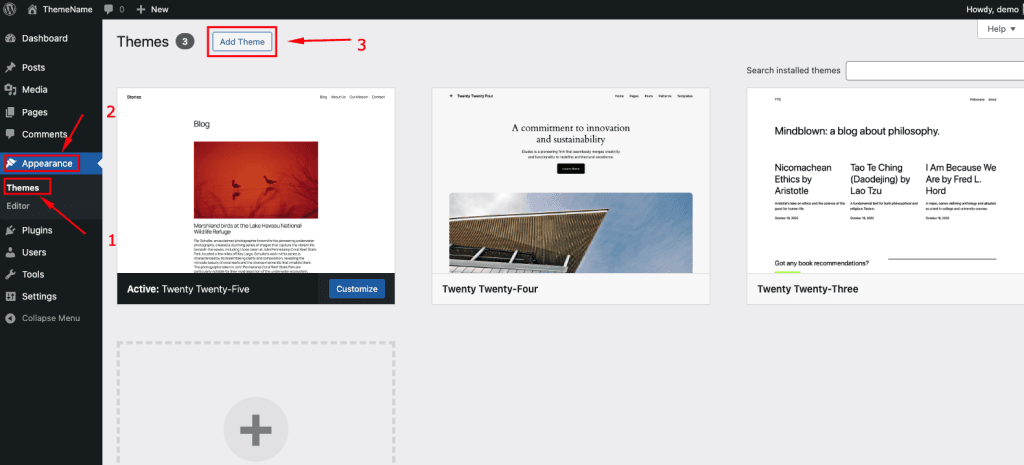
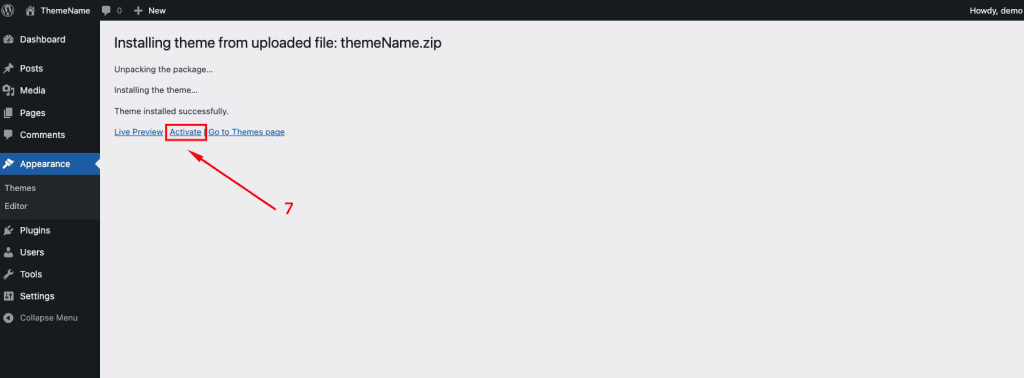
Follow the steps as instructed in the images below:
- From the dashboard go to Appearance → Themes → Add New → Upload Theme
- Click on “Choose File” and select ruffer.zip
- Click on “Install Now”.
- Active the Theme

Follow the steps as instructed in the images below: